
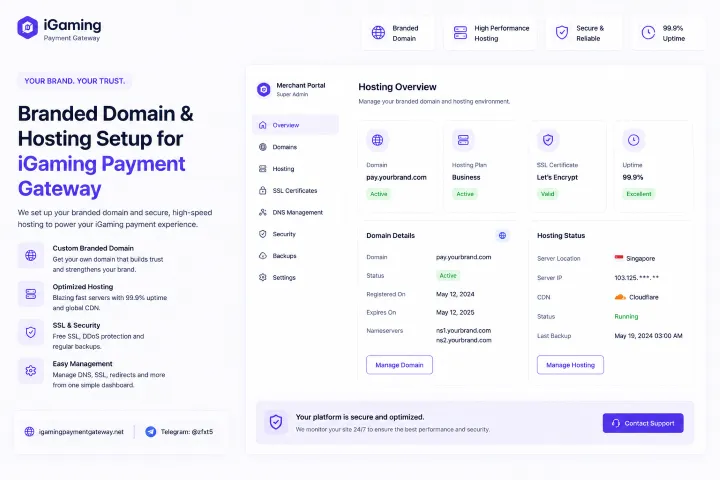
Branded Domain & Hosting Setup for iGaming Payment Gateway: From CNAME to TLS 1.3 — the Setup Engineering Most Vendors Skip Past
A branded domain and hosting setup for an iGaming payment gateway is a sequence of specific technical decisions — DNS records, certificate strategy, regional CDN posture, TLS configuration, and verification flow — each with a right answer and a wrong answer for a cashier under real traffic. "Branded" sounds like marketing; the actual work of making your domain carry a real payment cashier is engineering. This page walks through every step in the order they're made.
Open a fresh terminal. Type dig pay.your-brand.com. The output decides whether your cashier loads, whether the certificate validates cleanly, whether the player's connection terminates in their region, and whether you survive a routine policy audit. "Because I set up a CNAME" is not a useful answer to any of those.
The DNS Record Set That Actually Powers a Branded Cashier
The DNS records below are not a maximalist setup — they're the minimum coherent set for a working cashier subdomain. Each record has a specific job; each TTL is chosen deliberately. The same records, with different values, form the template for every tenant we provision.
What a Healthy `dig` Output Actually Looks Like
Reading DNS output is one of those skills you don't realise is a skill until you watch someone do it badly. A healthy response answers in milliseconds, returns the records you expect, and shows the path resolved through your own nameservers — not somebody else's:
$ dig pay.your-brand.com +short

203.0.113.42

$ dig pay.your-brand.com

;; ANSWER SECTION:
pay.your-brand.com.   300   IN   A   203.0.113.42

;; Query time: 12 msec
;; SERVER: ns1.your-brand.com#53(ns1.your-brand.com)
;; WHEN: Sun May 18 11:42:18 UTC 2026

$ dig pay.your-brand.com CAA

;; ANSWER SECTION:
pay.your-brand.com.   3600   IN   CAA   0 issue "letsencrypt.org"

$ openssl s_client -connect pay.your-brand.com:443 -servername pay.your-brand.com

Verify return code: 0 (ok)
Subject: CN = pay.your-brand.com
Issuer:  CN = E5, O = Let's Encrypt, C = US
Protocol: TLSv1.3
Cipher:   TLS_AES_256_GCM_SHA384
Four facts surface from those four commands: the A record resolves quickly, the TTL is short enough to fail over, the CAA pins the certificate authority to one we trust, and the TLS handshake terminates on TLS 1.3 with a modern cipher. Any of those four being wrong is a setup defect.
SSL Certificate Strategy — Three Common Options, Compared
The certificate strategy is where most "branded domain" setups quietly compromise. There are three reasonable options for a payment cashier; only two of them belong in serious production. The honest comparison:
| Strategy | Auto-renewal | Multi-subdomain | Cashier-fit |
|---|---|---|---|
| Let's Encrypt single domain (per-host cert, ACME-renewed) |
● | ○ | ● |
| Let's Encrypt wildcard (*.pay.your-brand.com) |
● | ● | ● |
| Commercial OV/EV cert (paid CA, annual renewal) |
◐ | ◐ (SAN) | ◐ |
For most iGaming cashiers, Let's Encrypt wildcard via ACME DNS-01 is the right default: free, automated, multi-subdomain, and rotated every 60 days without human intervention. Commercial OV/EV adds a green-bar-era trust visual that modern browsers no longer surface; the marginal trust gain isn't worth the renewal complexity for a cashier subdomain.
The Certificate Chain Players Actually Validate
When a player's browser or wallet app connects to your cashier, it doesn't validate one certificate — it validates a chain. Each link in the chain has to be present, in order, with intermediates served by the edge. A missing or misordered intermediate is a quietly common cause of cashier "doesn't connect on some devices" complaints.
SAN: pay.your-brand.comValidity: ~5 yearsValidity: ~20 yearsTLS Configuration Spec — Not "Default", Specific Values
"Defaults" on the average web server are tuned for the average website. A payment cashier needs deliberate TLS configuration: strict version floor, modern cipher preference, HSTS with a meaningful max-age, and OCSP stapling so revocation checks don't introduce latency on every handshake.
Cashier TLS Configuration (reference)
None of those values are exotic — they're a textbook modern TLS configuration. The point of writing them down is that most "we set up SSL" implementations don't bother to specify them, and the result is a cashier that handshakes slower, has weaker forward secrecy, or fails strict audits unnecessarily.
Regional Edge Presence — Where the Cashier Actually Terminates
A branded cashier hosted on a global generic edge feels different from one terminated on a regional edge close to the player. The TLS handshake is where the difference is most visible: round-trip latency multiplies during the handshake, so an in-region edge is one of the biggest perceived-performance wins a cashier can have. Edge presence we provision by default for Asian markets:
Indicative latency only — actual measurements vary by carrier and player location. The architectural point is what matters: anycast edges placed in-region, with a healthy failover topology, so a single PoP issue does not take the cashier dark.
The 7-Step Setup Sequence
End to end, the actual operational sequence we run for a new branded tenant. Each step has a verifiable output; nothing moves to the next step until the prior step's output is in hand.
Domain decision & ownership confirmation
You choose the subdomain pattern (e.g. pay.your-brand.com) and we confirm ownership via a one-shot DNS TXT challenge.
Zone records published
A / AAAA / CNAME / CAA / TXT records described above are added to your DNS zone. We provide exact values; your DNS admin publishes them.
ACME wildcard certificate issued
DNS-01 challenge completes; Let's Encrypt issues the wildcard cert; the edge installs it. Renewal automation now keeps it alive at 60-day rotation.
Edge configuration applied
Regional anycast edges in the geographies you operate in pull the cert and serve the cashier. TLS configuration as specified above is loaded.
Cashier & admin endpoints live
The cashier UI loads on the player domain; the admin endpoint loads on the operations subdomain. Both share the same TLS posture; both are isolated tenants behind the edge.
Monitoring & alerting wired in
External probes from multiple regions check cert expiry, response time, and SSL grade continuously. Our on-call is paged before your team sees a problem.
Handover documentation
You receive a record of every value provisioned, every rotation schedule, every monitoring touchpoint. The setup is owned by us operationally; the visibility into it is entirely yours.
Pitfalls We Watch For (Because We've Seen Them)
A working setup is also a not-failing setup. These are the patterns that show up most often when a previously-DIY domain is migrated to a managed branded cashier — each has a specific fix, all of them are common:
Common Setup Failures
pay. / cashier.).includeSubDomains. Half-configured HSTS is worse than none.Where This Setup Sits in the Bigger Picture
The work described here operationalises the brand-and-hosting decisions described conceptually elsewhere on this site. The "why" of hosting in-region — latency budgets, data residency, ops response time — is covered in our payment gateway for iGaming operators in Asia | branded, hosted article. The brand sovereignty principles that make the domain ownership of the cashier matter at all are covered in our branded payment gateway for gaming operators article. This page is the hands-on engineering that turns both of those conceptual frames into a working DNS zone, certificate chain, and edge configuration.
Everything Else, Compressed
Scope of this article: The actual DNS, SSL, CDN, and TLS engineering of a branded cashier domain — records, certificate strategy, chain, TLS configuration, regional edge, and the 7-step setup we run for every tenant.
What we do: provide the exact records to publish, issue and rotate certificates via ACME, run the regional anycast edge, configure TLS to a deliberate spec, monitor and alert externally. Your DNS admin publishes the records you control; everything else is on our side of the line.
Pricing: Flat monthly hosting fee + 0.1–0.4% transaction volume share. Domain setup, certificate provisioning, regional edge, and TLS configuration are included — no per-cert charge, no per-region surcharge.
Setup engineering that holds up to openssl s_client on day one.
Branded domain + hosting, provisioned to spec, monitored externally, owned operationally.
Plan My Branded Domain →Setup-Specific Questions
Do I need to give you DNS write access to my zone?
No. We provide exact record values; your DNS admin publishes them in your zone, which you continue to fully own. The only ongoing automation is the ACME DNS-01 challenge for cert renewal, which we can either run via a small delegated subdomain (_acme-challenge) or coordinate manually if you prefer.
What if I want to use a different CA — Sectigo, DigiCert, others?
Supported. The default is ACME / Let's Encrypt for the automation benefit, but commercial CAs can be used for tenants with specific procurement constraints. CAA is updated accordingly; renewal cadence becomes manual or semi-manual.
Can you set up the cashier on my apex domain rather than a subdomain?
Possible but discouraged. Apex domains have DNS limitations (no CNAME, weaker failover) and tend to be the platform's main site, which you typically don't want sharing infrastructure with the payment cashier. A dedicated subdomain like pay. is cleaner architecturally.
How does cert rotation work during high-traffic windows?
Cert rotation happens at the edge ahead of expiry without dropping connections — the new cert is presented seamlessly to new handshakes while existing connections continue under the prior cert. No traffic window is "bad" for rotation because rotation itself is invisible to live sessions.
What's monitored continuously after setup?
Certificate expiry (with multi-week alerting margins), TLS configuration drift, response time from probes in each market we serve, and SSL/TLS grade against industry benchmarks. The first three page our on-call; the fourth alerts during business hours for proactive tuning.
How does this work for a PSP with many downstream tenants?
Each tenant gets its own DNS records and its own certificate. The records and certs are issued and rotated by the same automation, but they're cryptographically and operationally distinct — a problem with one tenant's cert doesn't affect another's. PSPs running many tenants get a roll-up view of all their tenants' setup health in the admin.
Can I run my own SSL testing against the cashier?
Encouraged. Public tools like SSL Labs or testssl.sh against your cashier subdomain should return a high grade with no critical findings; if they don't, that's a setup defect on our side and we'd want to know. Transparency on the TLS posture is one of the points of writing it down explicitly.
The Next Step
A working branded domain and hosting setup for an iGaming payment gateway is not a five-minute job hidden in a sales process. It's a sequence of deliberate, verifiable, audit-friendly technical decisions — every one of which is either correct or visibly wrong from the outside. The DNS records can be inspected. The certificates can be validated. The TLS configuration can be graded. The regional latency can be measured. None of it is opaque, and none of it should be.
Tell us the brand domain you want to operate on, the markets you serve, and any existing DNS infrastructure constraints. We will return the exact record set, the certificate strategy, the regional edge placement, and the 7-step launch plan within a single working conversation.
Branded domain setup, verifiable from the outside.
DNS, SSL, CDN, TLS — done deliberately, owned by us, inspectable by you.
Open Setup Plan →